From OSINT to Disk: Wave Stealer Analysis

Introduction
In this post, I will be walking through finding the Wave Stealer advertisement page, getting a sample, then analyzing it and determining its execution and persistence methods. We will also briefly explore how the persistence is broken in this particular sample.
Quick shoutout to crep1x on Twitter/X for posting about this sample, it was instrumental in this analysis — https://twitter.com/crep1x
OSINT
Using my InfraHunter tool, I found the following website advertising a new infostealer. I used one of the built-in searches in the tool, “generic-infostealer-1” which runs the following query on Shodan: http.title:stealer http.html:login
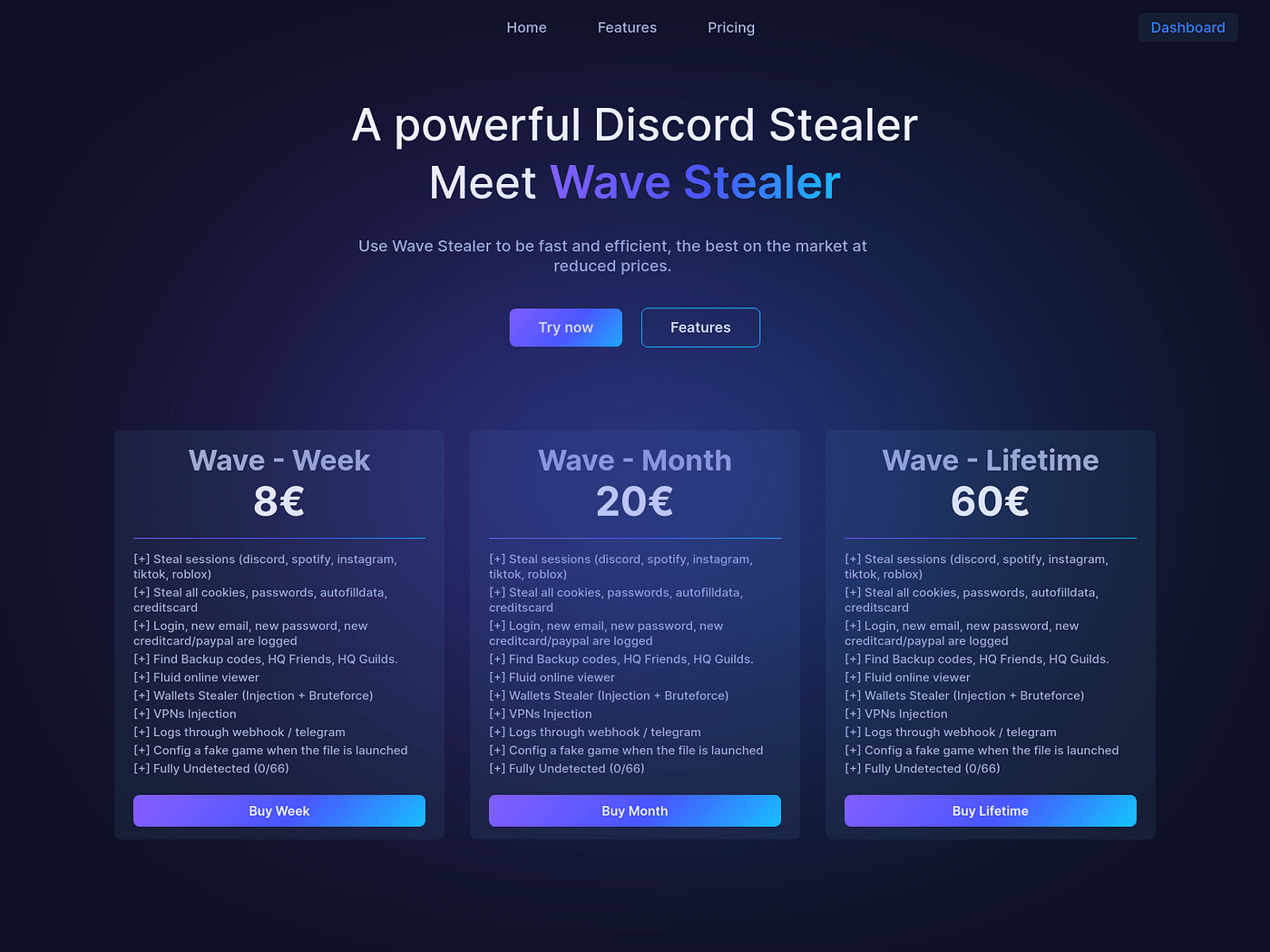
Turning to Twitter/X I saw this analysis from crep1x and retrieved the sample. https://twitter.com/crep1x/status/1782887599788486787

SHA256: eadcf660e731fd3de0a5a8bee2f2337e7d78438f4e9293d2c90d5e63a2d9368e
One thing to note here is the VT comments for this sample are also calling it PrivateLoader.
Malware Analysis
After getting the sample, I loaded it into a FLARE VM. The main tools I used in this analysis were as follows: Wireshark, ProcMon, ProcessExplorer, FakeNet-NG, AutoRuns, HashMyFiles, pestudio, and DetectItEasy
The first thing I noticed in ProcMon is that it created a folder at C:\Users\User\AppData\Local\Temp\nsmB92D.tmp\7z-out\

At this point it runs Installer.exe which is seen collecting data from Discord and web browser directories.

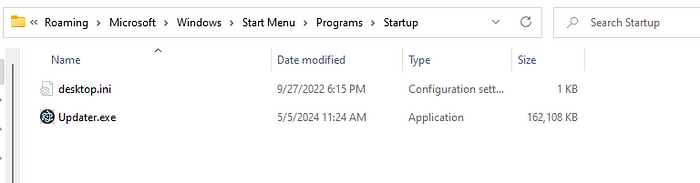
It also attempts to maintain persistence in the Startup folder as Updater.exe

Verified the hashes are the same. Also seen in another AppData\Local\Temp directory.

Reviewing the FakeNet-NG logs shows this suspicious domain.

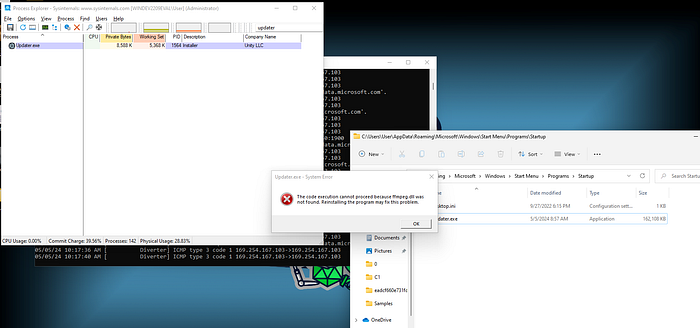
Curiously, when the VM was rebooted, this error message popped up, showing Updater.exe failed to launch from Startup.

Manually launching Updater.exe and examining under ProcMon suggests it has a DLL injection vulnerability (DLL Search Order Hijacking) regarding ffmpeg.dll . This is indicated by the numerous successive CreateFile attempts where the result is Name Not Found and the Path ends in ffmpeg.dll; Updater.exe is “searching” for the missing DLL. The very first place searched is the Startup folder (there Updater.exe resides), this is because the search routine starts with the directory where the program is located. So if an attacker places the malicious DLL in the same folder as the vulnerable program, the search routine will find it and load it.
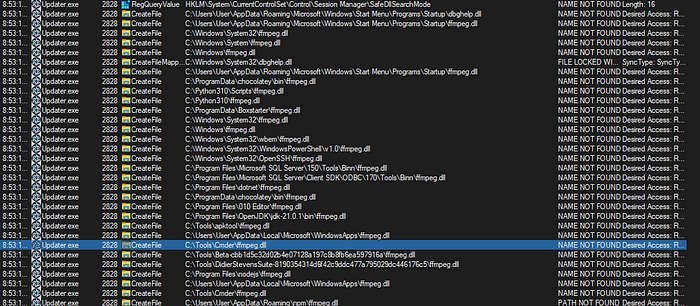
For a more in-depth look at Search Order Hijacking checkout https://book.hacktricks.xyz/windows-hardening/windows-local-privilege-escalation/dll-hijacking#dll-search-order
Looking at the ffmpeg.dll that is dropped by the first stage shows it was created in January 2024.
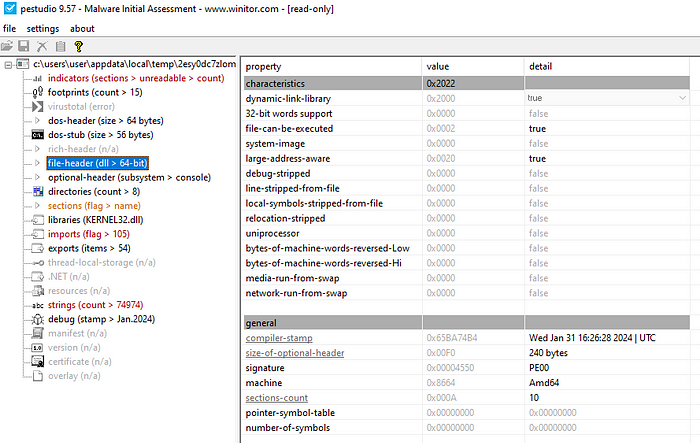
Looking at the strings present in ffmpeg.dll shows it has some capabilities that does not appear necessary for something claiming to be related to FFmpeg.
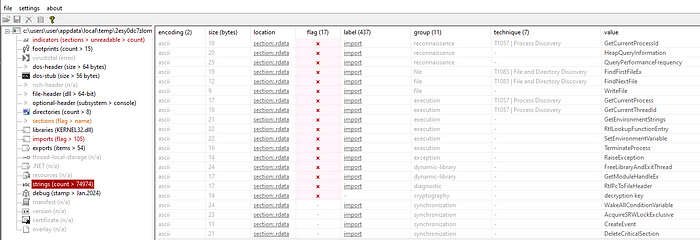
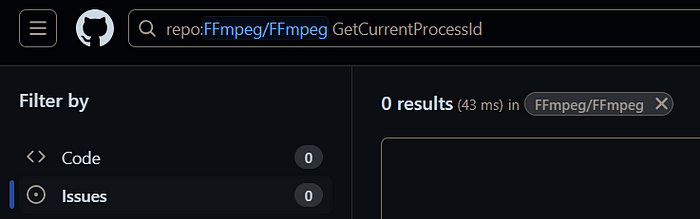
Also searched through the FFmpeg source code on GitHub for various strings seen above, none were found, suggesting this is not a genuine ffmpeg.dll.
At this point, I put ffmpeg.dll in the startup folder and ran Updater.exe and it triggered the domain callback. When I removed ffmpeg.dll and restarted the program, the callback does not happen and we see the same error as before where Updater.exe just crashes. So we have a high degree of confidence that DLL Hijacking is the execution method.
Grabbing the hash for ffmpeg.dll : 5795634e5f03fa1375b8a7e9655966beadbbe8681afd3c6996aa0f47959d053b

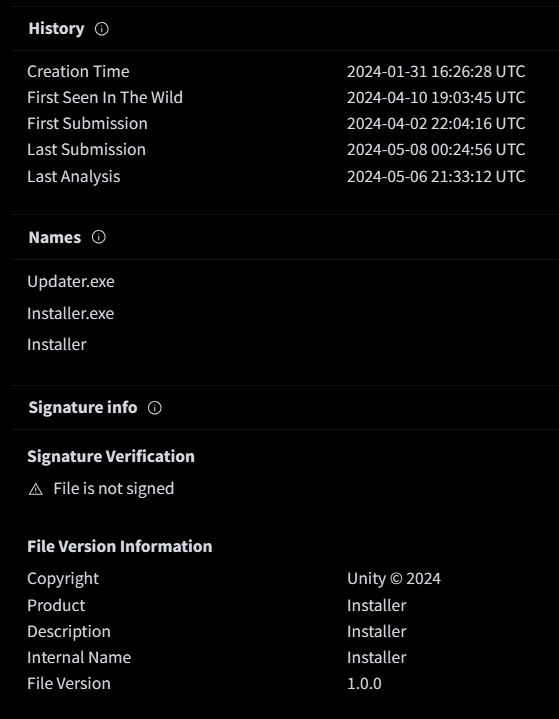
Looking at Updater.exe shows it has “Unity LLC” listed as its Company.
The hash for Updater.exe is 69f086ecb0e9b764462e3d62268194b2b9abc8e4492b6c5b38472e1b7897436d and looking at it in VT shows it was also compiled in January 2024 and has a copyright of “Unity @ 2024”
I re-added ffmpeg.dll into the startup folder and launched Updater.exe again, created a process dump, and found some strings related to gaming. (i.e. I added the DLL back in so the EXE does not crash)
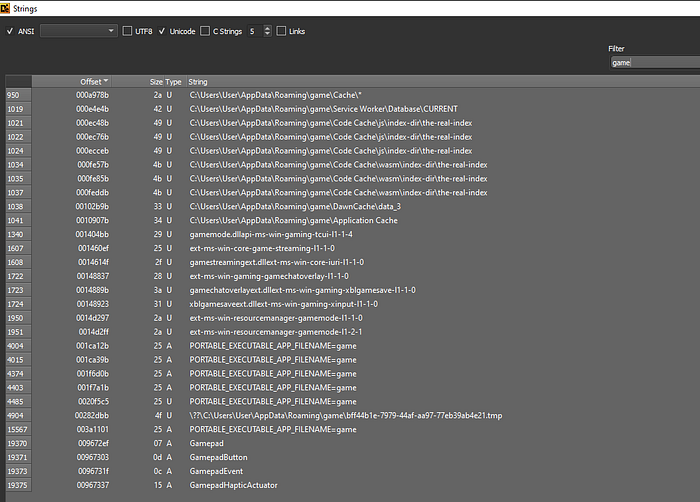
The “Unity @ 2024” copyright, “Unity LLC” company, and the strings above lead me to believe this is the Unity program for gaming. However, the compilation time being the same month as ffmpeg.dll is also curious. It appears one can buy/download the Unity source code (https://unity.com/products/source-code). It is unclear if the threat actor compiled a custom version Unity or not, but either way, the malicious activity relies on the ffmpeg.dll (which is not related to the actual FFmpeg project).
Not-So-Persistent
So if you remember, about halfway through this I mentioned when I rebooted the VM I got this error message.
This message hints at the existence of the DLL injection vulnerbility discussed in detail above. It also suggests the persistence mechanism for this sample was broken.
When the first stage is executed, it dropped Updater.exe into the Startup folder. However, Updater.exe crashes if it is unable to load ffmpeg.dll and the first stage never copiedffmpeg.dll into the startup folder, hence why Updater.exe crashed on startup.
Conclusion
Wave Stealer is an infostealer that takes advantage of a DLL Injection vulnerability for ffmpeg.dll in what appears to be a Unity-related product, possibly a custom-compiled version of Unity. The program attempts to maintain persistence in the Startup folder. In this particular sample, the persistence was broken, causing the program to crash on startup.
IOCs
eadcf660e731fd3de0a5a8bee2f2337e7d78438f4e9293d2c90d5e63a2d9368e (stage 1; sample.exe)
69f086ecb0e9b764462e3d62268194b2b9abc8e4492b6c5b38472e1b7897436d (stage 2; Installer.exe, Updater.exe)
5795634e5f03fa1375b8a7e9655966beadbbe8681afd3c6996aa0f47959d053b (malicious ffmpeg.dll)
wavebysudryez[.]fr


